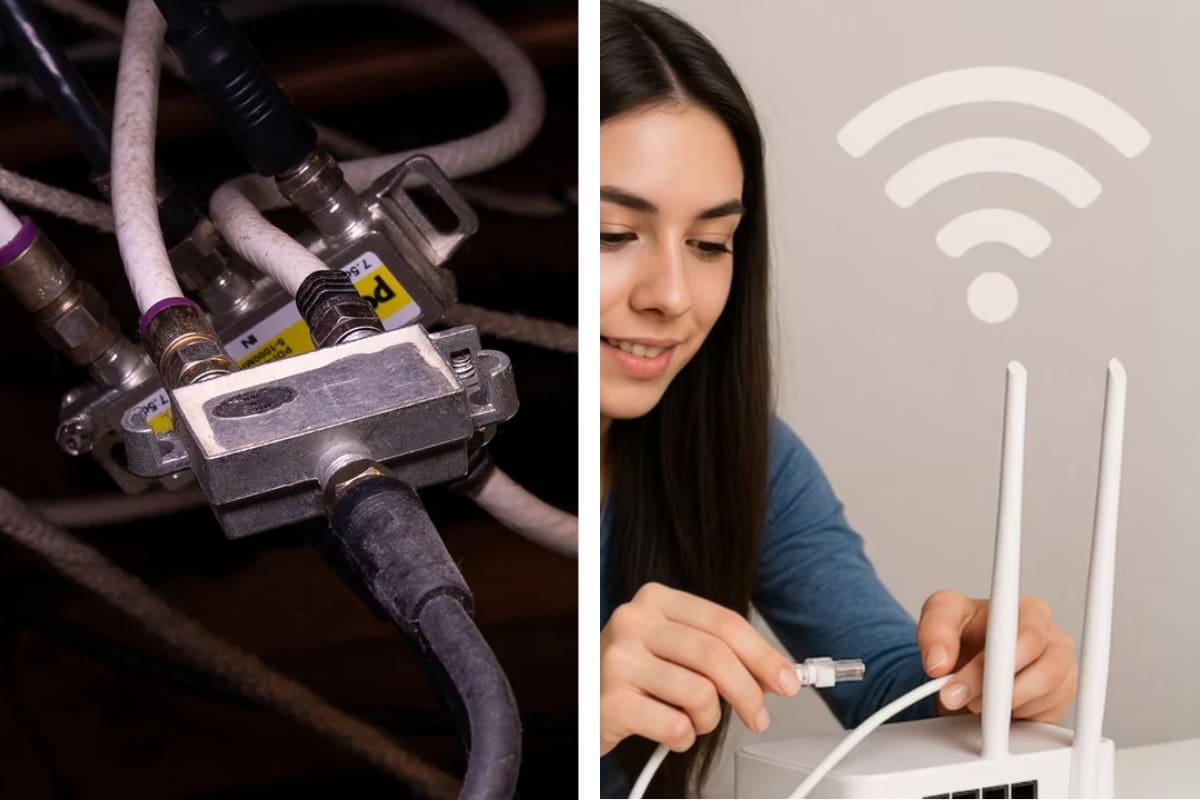
A frozen Zoom screen in the middle of a sentence has a special way of killing momentum. One second you’re making a point in a serious meeting, the next you’re a pixelated statue while everyone else waits. We like to pretend Wi-Fi is “good enough,” but anyone who works from home knows the truth: wireless internet is convenient, not dependable.
If you want stability—real stability—you need a wired connection. Faster speeds, lower latency, fewer dropouts. The kind of connection that doesn’t blink when you share a massive file or turn on your camera in 4K. The problem? Running Ethernet through a home wasn’t designed to be easy, especially if you rent or live in an older place.

That’s where an overlooked bit of infrastructure quietly saves the day.
Why Wi-Fi fails when work matters most
Wi-Fi is brilliant for phones, tablets, and casual browsing. But it struggles in exactly the situations remote workers care about most. Video conferencing, cloud backups, large file transfers, and online collaboration all punish unstable connections.
Walls matter. Brick walls matter a lot. So do floors, metal ductwork, neighboring networks, and even your microwave. Every obstacle adds interference, latency, or packet loss. The result is that familiar cycle: strong signal one minute, choppy performance the next.

A wired connection avoids all of that. Ethernet doesn’t care about walls. It doesn’t negotiate with other networks. It just works.
The Ethernet problem nobody wants to deal with
In a perfect world, every room would have Ethernet jacks neatly installed. In the real world, running 50–100 feet of cable through walls and ceilings is expensive, disruptive, and sometimes outright impossible.
If you own your home, you’re looking at drilling, fishing cables, and possibly hiring a professional. If you rent, that’s usually off the table entirely. Most people give up at this point and resign themselves to flaky Wi-Fi.

But many homes already have something just as useful hiding in plain sight.
The hidden network already in your walls
Cable outlets. Almost every home built or renovated in the last few decades has them. They were installed for televisions, but the coaxial cable behind those outlets is far more capable than most people realize.
That cable can carry internet data using a standard called MoCA—Multimedia over Coax Alliance. The latest widely available version, MoCA 2.5, supports theoretical speeds of up to 2.5Gbps. That’s well beyond what most home internet plans deliver.
Let that sink in. Even 20-year-old coaxial cable can often handle gigabit networking without breaking a sweat.

What MoCA actually does
MoCA doesn’t replace your internet service. It extends your local network over coaxial cable already installed in your home. Think of it as Ethernet over cable TV wiring.
You use small adapters with two ports:
- One coaxial port that connects to the wall
- One Ethernet (RJ45) port that connects to your router, computer, or other device
Once installed, your coax outlets become high-speed network jacks.
Why old coax usually isn’t a problem
There’s a common fear that “old wiring” equals poor performance. In practice, coaxial cable ages very well. If your cable lines can carry HDTV signals, they can almost certainly handle MoCA networking.
Unless the cable is damaged or extremely outdated, most homes see rock-solid performance at 1Gbps and beyond. In many cases, MoCA outperforms powerline adapters and rivals direct Ethernet for reliability.
How a MoCA setup actually works
The exact setup depends on how your internet enters the home, but the concept stays the same.
If you have a cable modem, check whether it supports MoCA. Many modern gateways from providers like Comcast/Xfinity do. You can confirm this through the manufacturer’s documentation or your ISP’s support pages (https://www.xfinity.com/support).
If your modem supports MoCA:
- The modem acts as one endpoint
- You add MoCA adapters only where you need Ethernet
If it doesn’t:
- Add one MoCA adapter near the modem
- Use a splitter to connect it to the coax line
- Plug the adapter into the modem/router via Ethernet
If your internet comes via fiber or another non-cable method, MoCA still works. You simply connect a MoCA adapter to an Ethernet port on your router and inject the signal into the coax network.
The MoCA Alliance maintains compatibility and performance standards across devices (https://www.mocalliance.org).
What you can connect—and where
One of the underrated strengths of MoCA is flexibility. Any coax outlet can become a network endpoint.
That means you can connect:
- Desktop PCs and laptops
- Macs and Windows machines
- Smart TVs
- Game consoles
- Network switches
- Additional Wi-Fi access points
You can even use MoCA to backhaul Wi-Fi access points to eliminate dead zones in basements, attics, or distant rooms.
MoCA vs Wi-Fi vs Powerline
Here’s how the options compare in real-world home setups:
| Feature | Wi-Fi | Powerline | MoCA |
|---|---|---|---|
| Stability | Medium | Low–Medium | High |
| Latency | Variable | High | Low |
| Max real-world speed | Moderate | Low–Moderate | High |
| Installation effort | Very low | Low | Moderate |
| Interference sensitivity | High | High | Low |
MoCA hits a rare sweet spot: fast, stable, and non-destructive to install.
Don’t skip the POE filter
If you use MoCA, there’s one small but important addition: a Point of Entry (POE) filter. This inexpensive device installs where the cable line enters your home.
It does two things:
- Prevents MoCA signals from leaking outside your home
- Improves performance by reflecting high-frequency signals back into your internal network
This isn’t optional if you care about security and speed. Cable providers and networking experts strongly recommend it (https://www.fcc.gov).
Filters cost under $10 and take minutes to install.
Performance in the real world
In practical terms, a MoCA 2.5 setup often delivers:
- Near-gigabit speeds
- Consistently low latency
- No random dropouts
- Stable video calls, even during peak hours
For remote workers, that means fewer awkward pauses and fewer “Sorry, can you repeat that?” moments.
Cost vs rewiring Ethernet
Professional Ethernet installation can easily run into the thousands, especially in finished homes. MoCA setups typically cost a few hundred dollars for multiple adapters, sometimes much less if your modem already supports it.
That makes MoCA one of the best cost-to-benefit upgrades for anyone working from home.
When MoCA isn’t ideal
MoCA won’t work if:
- Your home has no coaxial wiring
- The wiring is severely damaged
- You rely entirely on satellite or incompatible cable setups
In those cases, mesh Wi-Fi or professional Ethernet wiring may still be your best bet.
The quiet upgrade that just works
MoCA isn’t flashy. It doesn’t come with blinking lights or bold marketing claims. It simply turns existing infrastructure into something far more useful.
If Wi-Fi can’t reliably get from Point A to Point B, and Ethernet feels impossible, MoCA sits right in the middle—fast, stable, and refreshingly practical.
Once you experience a wired-grade connection without tearing open walls, it’s hard to go back.
FAQs
What is MoCA networking?
MoCA uses existing coaxial cable to transmit Ethernet data within a home network.
Is MoCA faster than Wi-Fi?
In most real-world setups, yes—especially for stability and latency.
Do I need a cable internet connection to use MoCA?
No. MoCA works with fiber, DSL, and other internet types.
Is MoCA secure?
Yes, especially when paired with a POE filter to prevent signal leakage.
Can I use multiple MoCA adapters?
Yes. You can add adapters at multiple coax outlets throughout your home.